 Poole Gang
Sponsored draws: step by step
A sponsored draw is a poole (or a Table Takeover) where one person, the sponsor, pays for every spot and the members are picked at random. People put their name in the hat from the join link, and when entries close the sponsor spins a wheel that picks the winners one at a time. In the example, jpk sponsors a three-spot poole and alice, bob, carla and dave put their names in.
How it differs from a normal poole
- Nobody pays but the sponsor. There are no payment cards, deposit forms or reminders; the sponsor's money is recorded against each winner automatically.
- The link puts a name in the hat instead of taking a spot. Entering costs nothing and can be undone while entries are open.
- The wheel decides. Each spin gives one spot to a name drawn at random; the sponsor keeps spinning until every spot is drawn or the hat is empty.
- Then it is a normal poole. Winners get a full spot marked paid, the poole locks itself when the last spot is drawn, and the result and payouts work as usual.
Part 1: the sponsor sets it up
Step 1: tick Sponsored draw
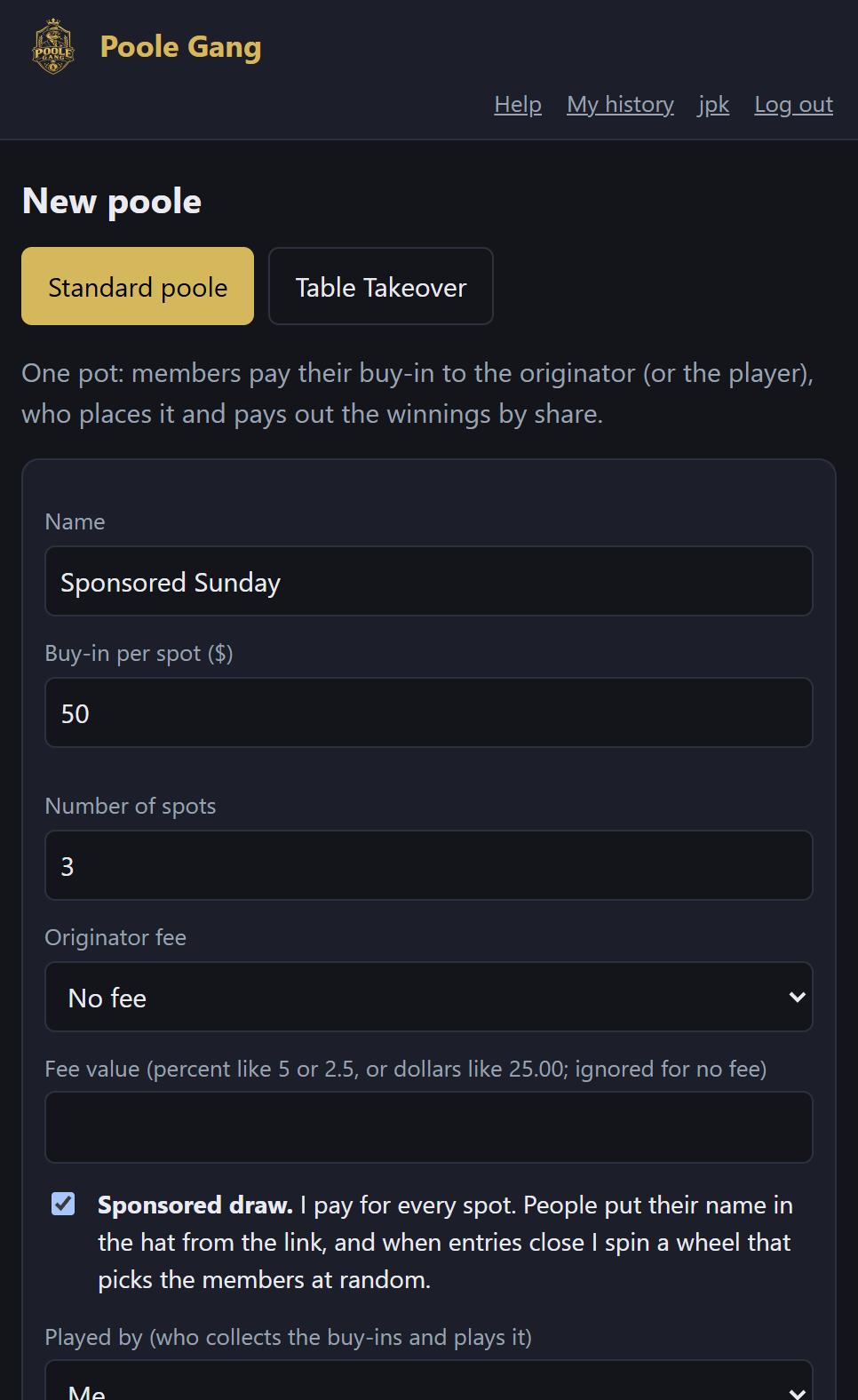
Create a poole as usual: name, buy-in per spot, number of spots and any originator fee. Then tick Sponsored draw. The buy-in is what you will pay for each spot, so three spots at $50 means you are putting in $150. Click Create poole.
Step 2: entries are open
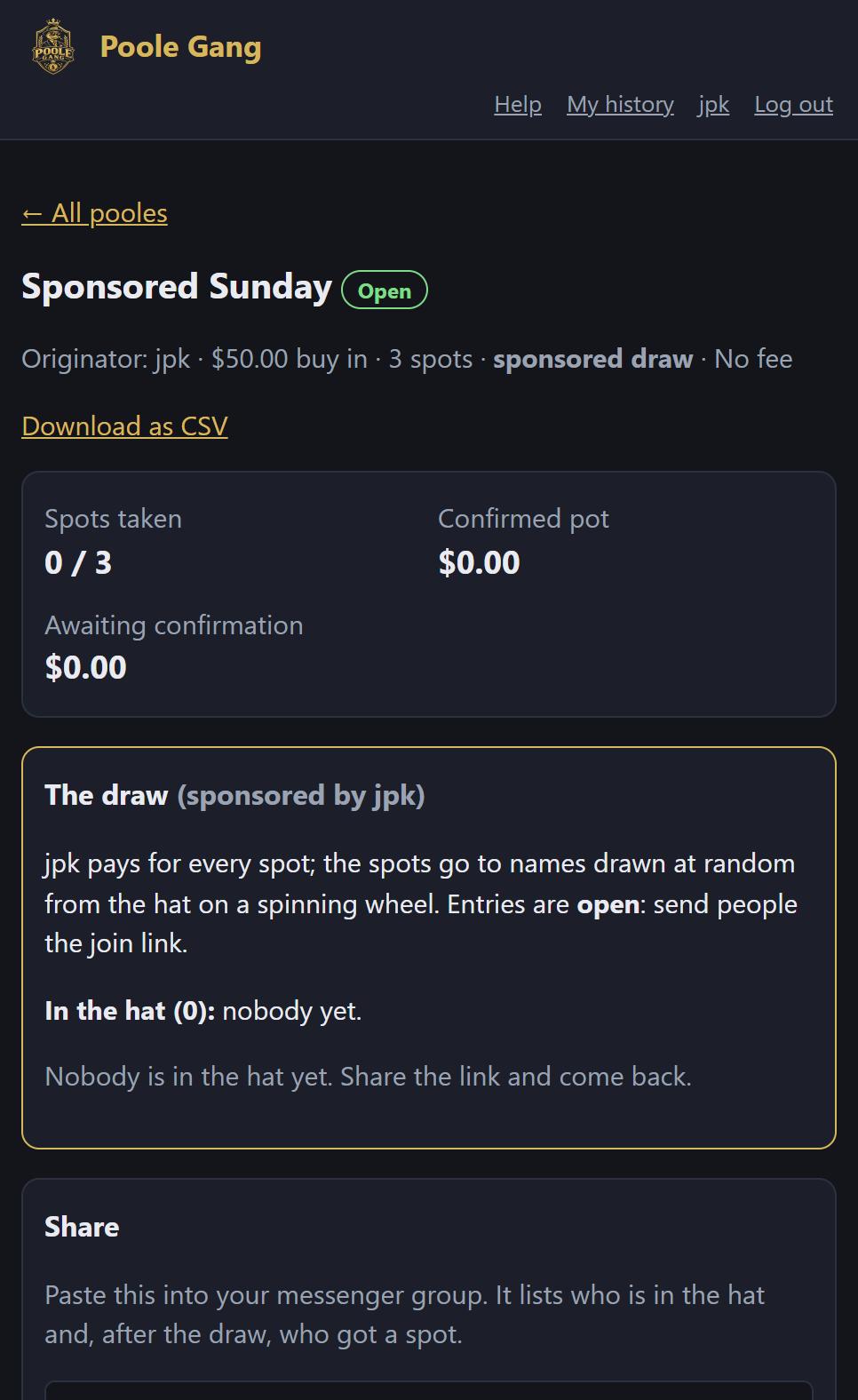
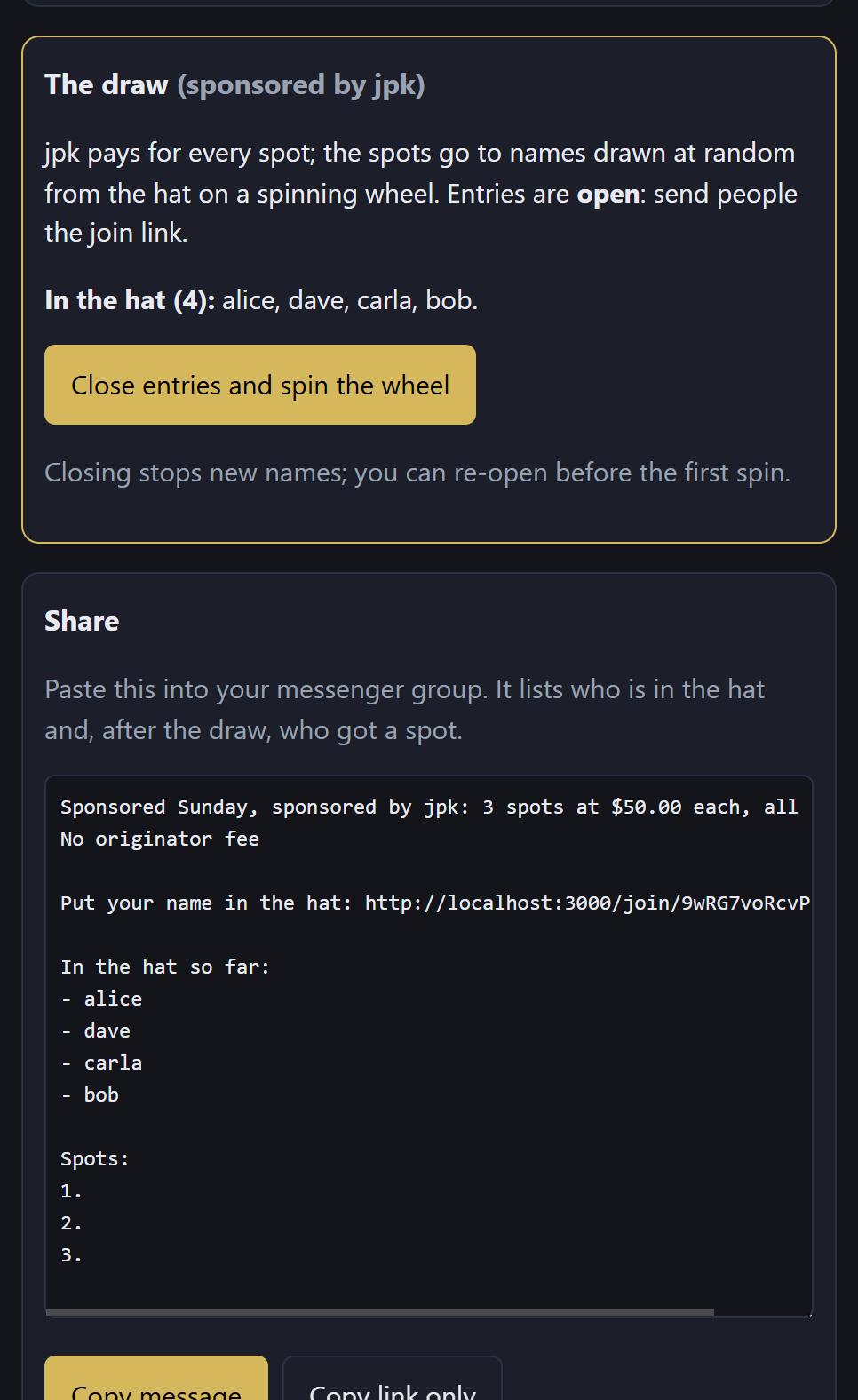
The poole page shows a gold The draw card. Entries are open and the hat is empty. The Share box below it has a message for your group with the join link and, as people enter, the list of names in the hat.
Part 2: people put their names in the hat
Step 3: open the link
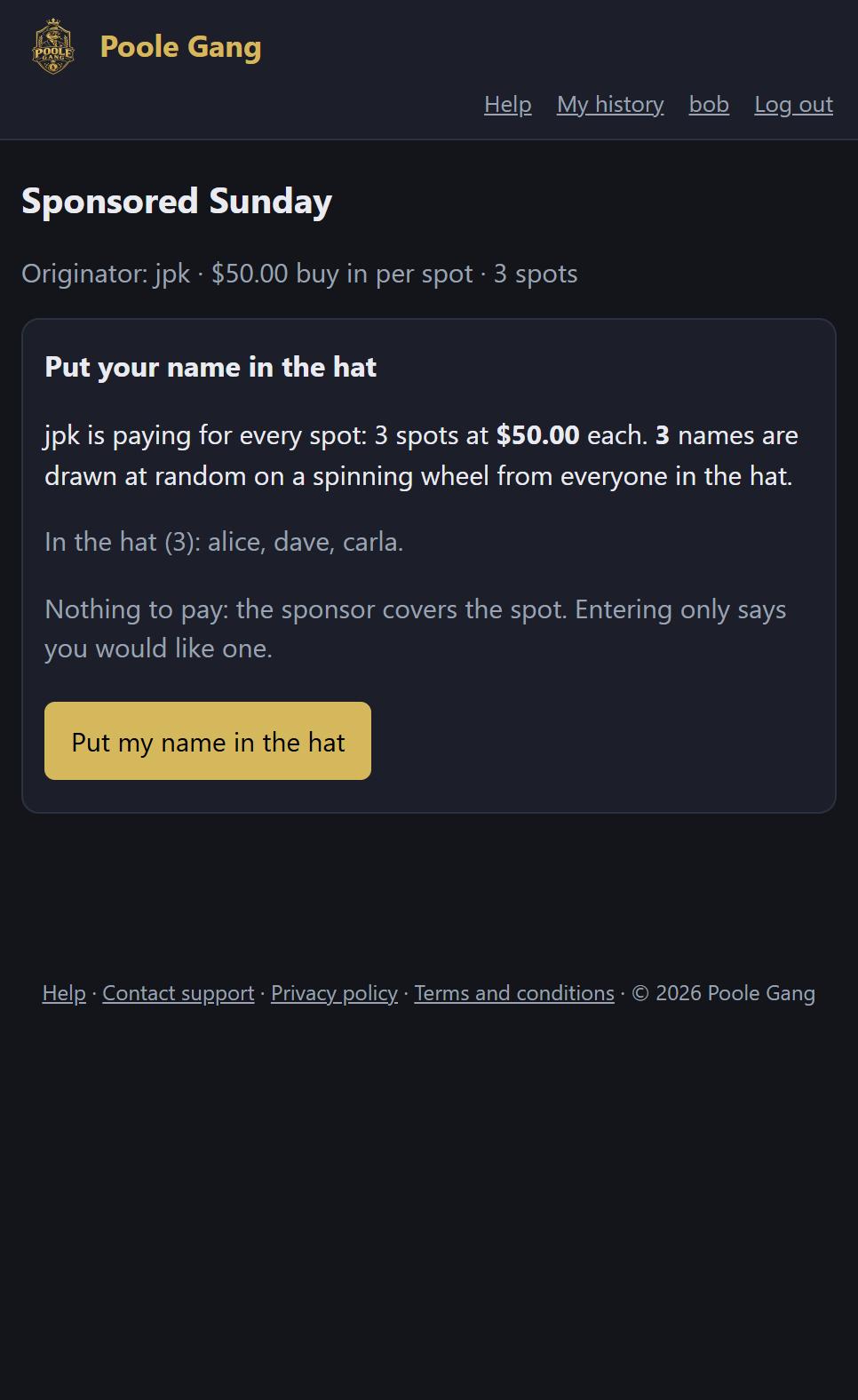
Anyone who opens the join link sees who is sponsoring, how many spots will be drawn, who is in the hat already, and a note that there is nothing to pay. One button: Put my name in the hat. (People without an account sign up first; see joining from a link.)
Step 4: you are in the hat
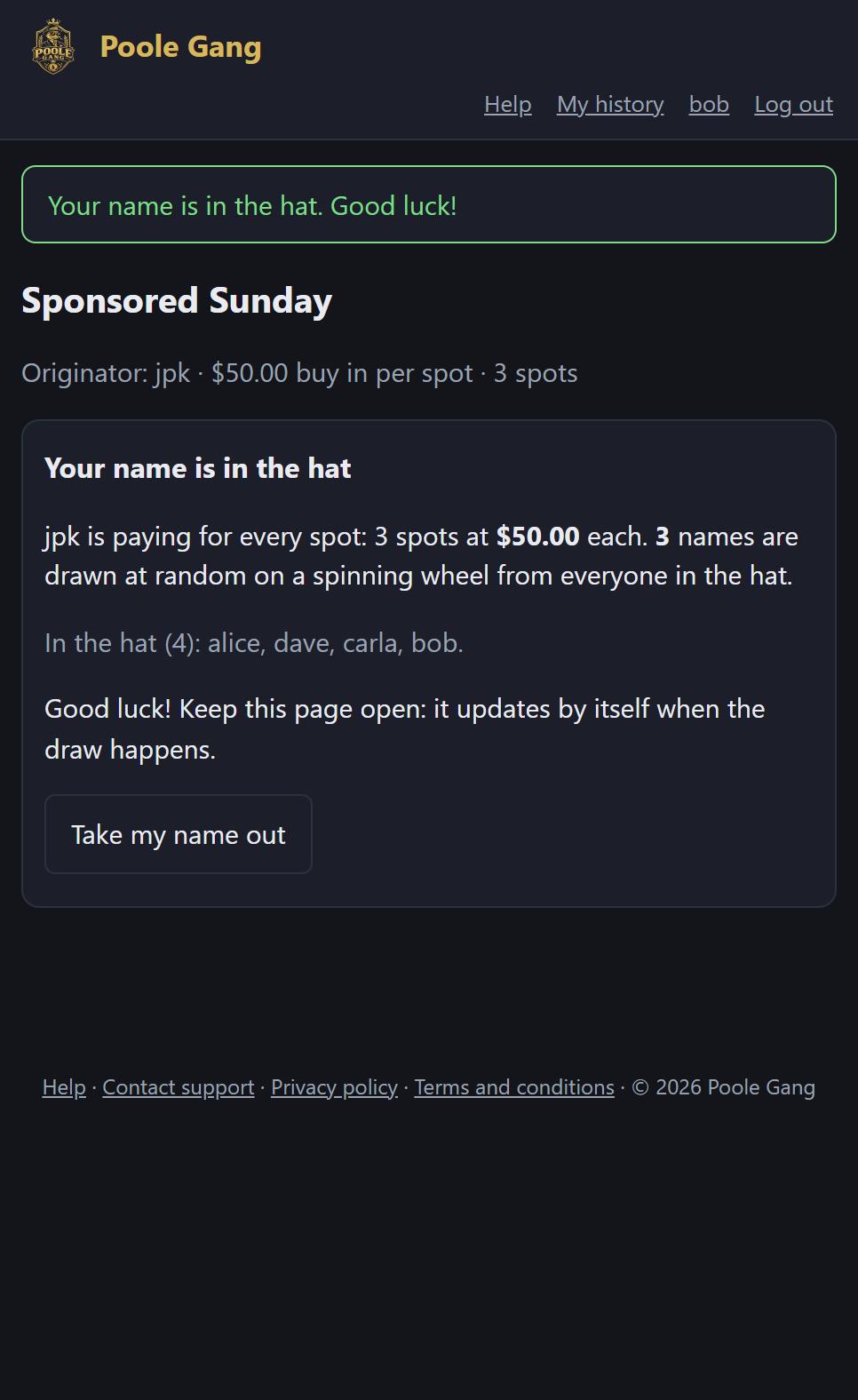
The page confirms it and lists everyone in the hat. It updates by itself when the draw happens, so people can leave it open. Take my name out withdraws the entry while entries are still open.
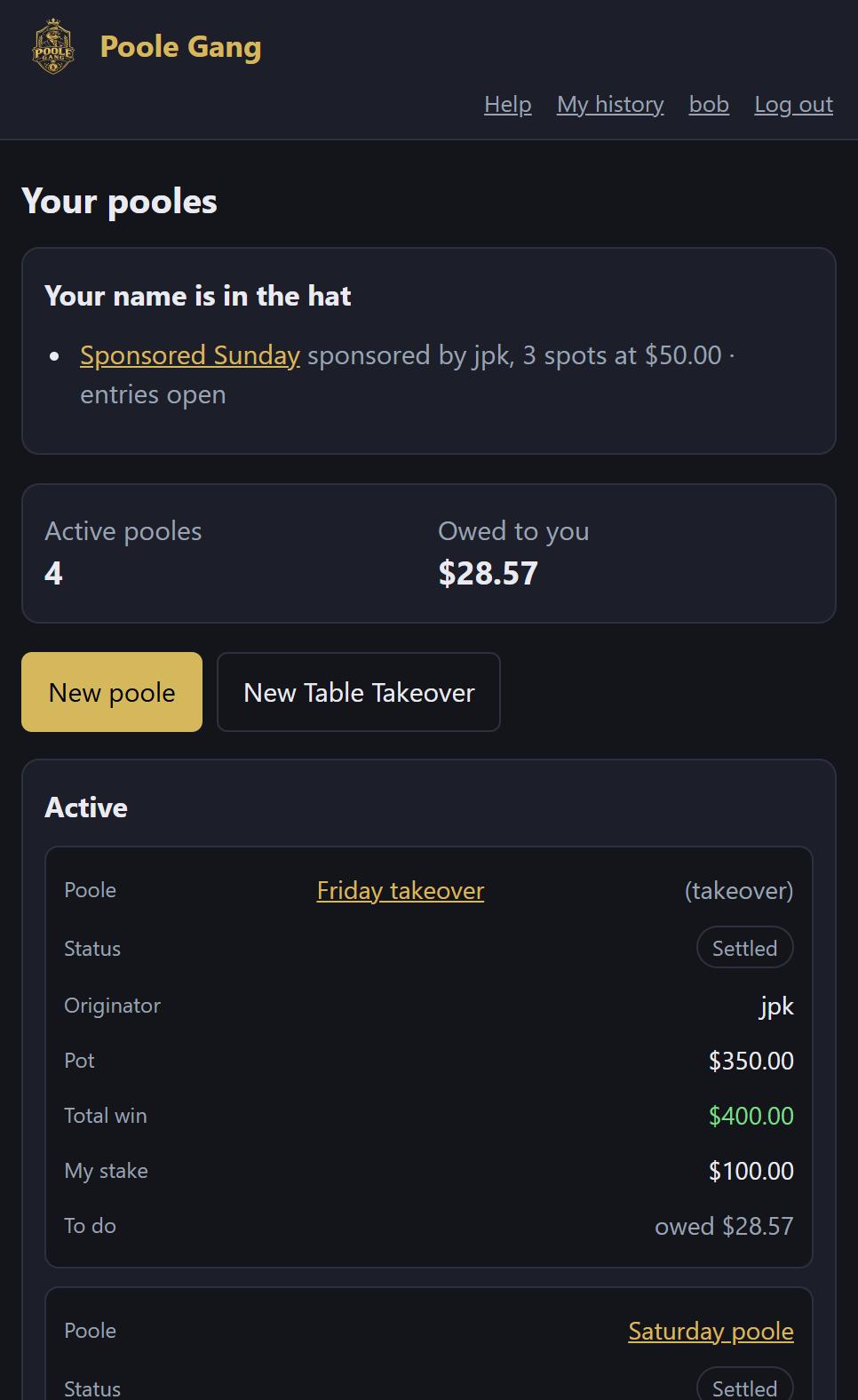
Entrants also see the draw on their dashboard under Your name is in the hat, with a link back to the entry page.
Part 3: spinning the wheel
Step 5: close entries
When everyone who wants in has entered, the sponsor opens the poole page. The draw card lists the hat and offers Close entries and spin the wheel. Closing stops new names; you can still Re-open entries until the first spin.
Step 6: the wheel
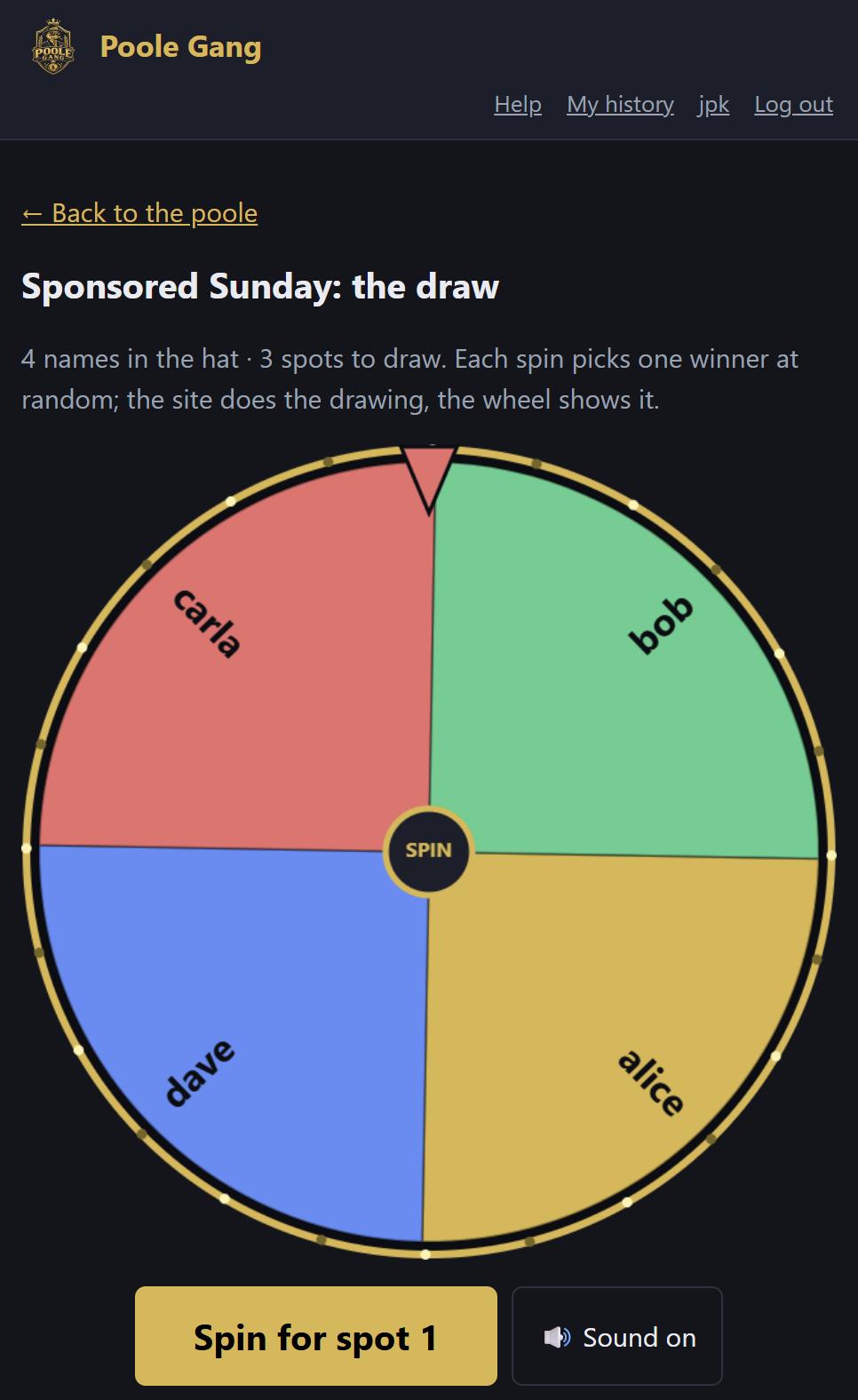
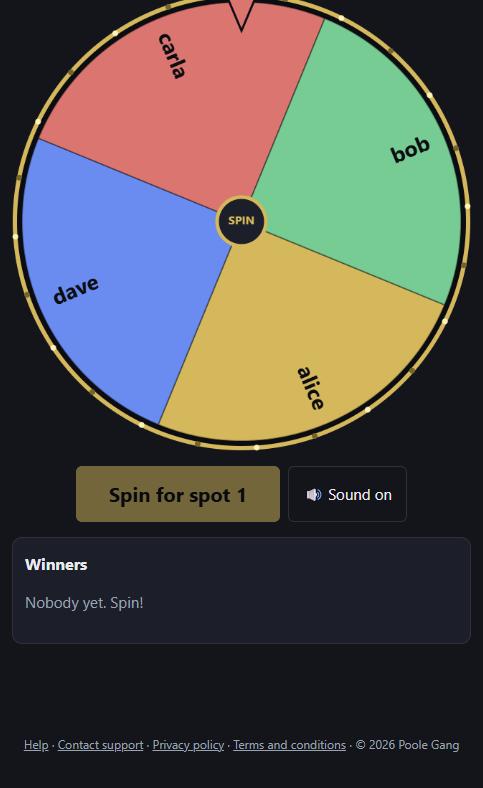
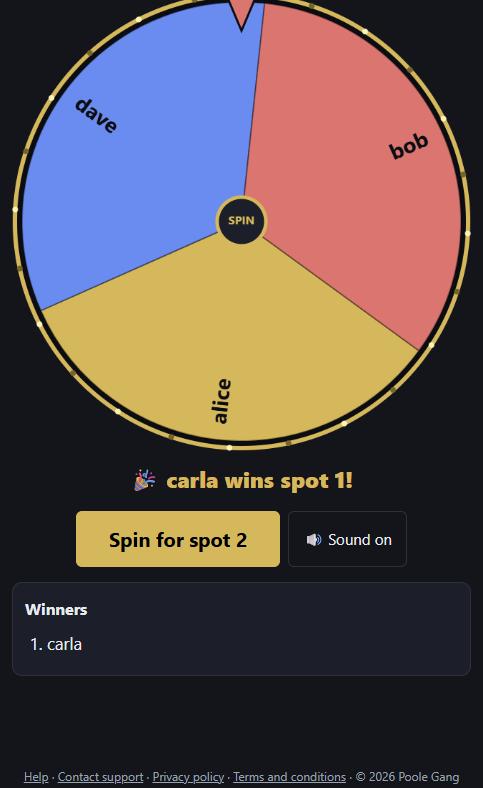
The wheel page shows a segment for every name in the hat, how many spots are left to draw, and a Spin for spot 1 button. Sound is on by default; the button next to it turns it off. Tip: on a night out, put this page on the big screen.
Step 7: spin
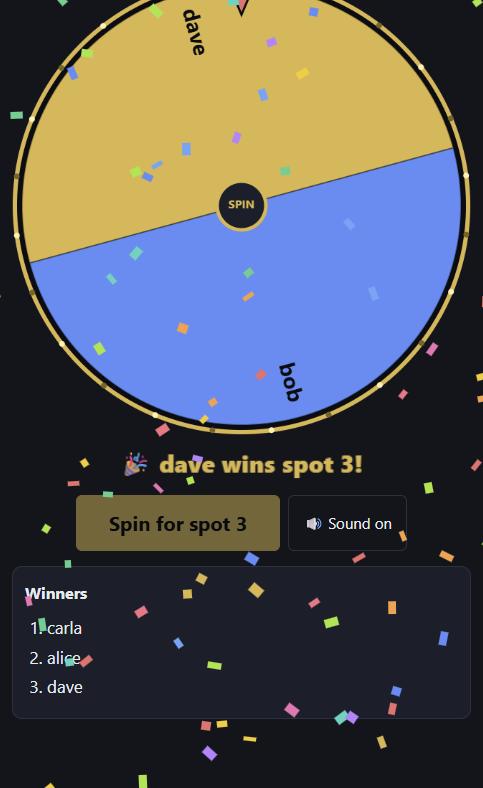
Click Spin (or the wheel itself). It whirls round several times with a drumroll and clicks past each name as it slows down. The site has already picked the winner at random before the wheel starts moving; the animation only shows the result, so a refresh or a dropped connection cannot change who won.
When it stops, the pointer sits on the winner, a banner announces them, confetti falls and they are added to the Winners list. Their segment leaves the wheel and the button moves on to the next spot.
Step 8: every spot is drawn
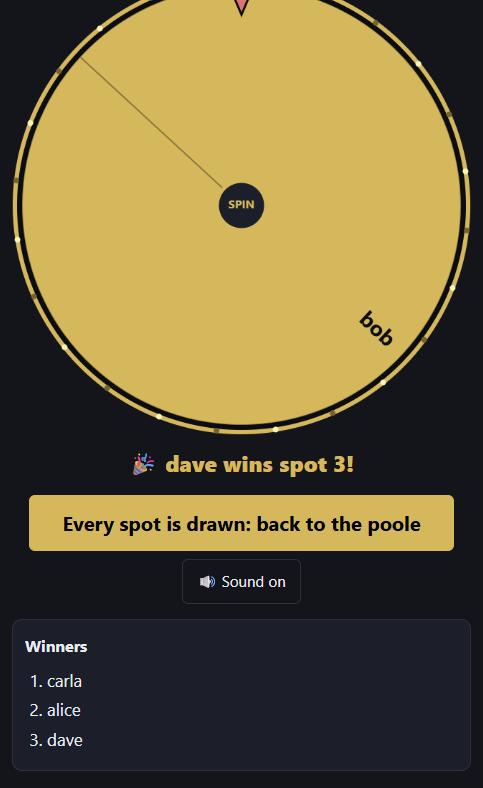
After the last spin the button changes to Every spot is drawn: back to the poole. If the hat runs out before the spots do, it says so instead and the remaining spots stay open for you to fill by hand with Add member.
Part 4: after the draw
Step 9: the poole, locked and paid
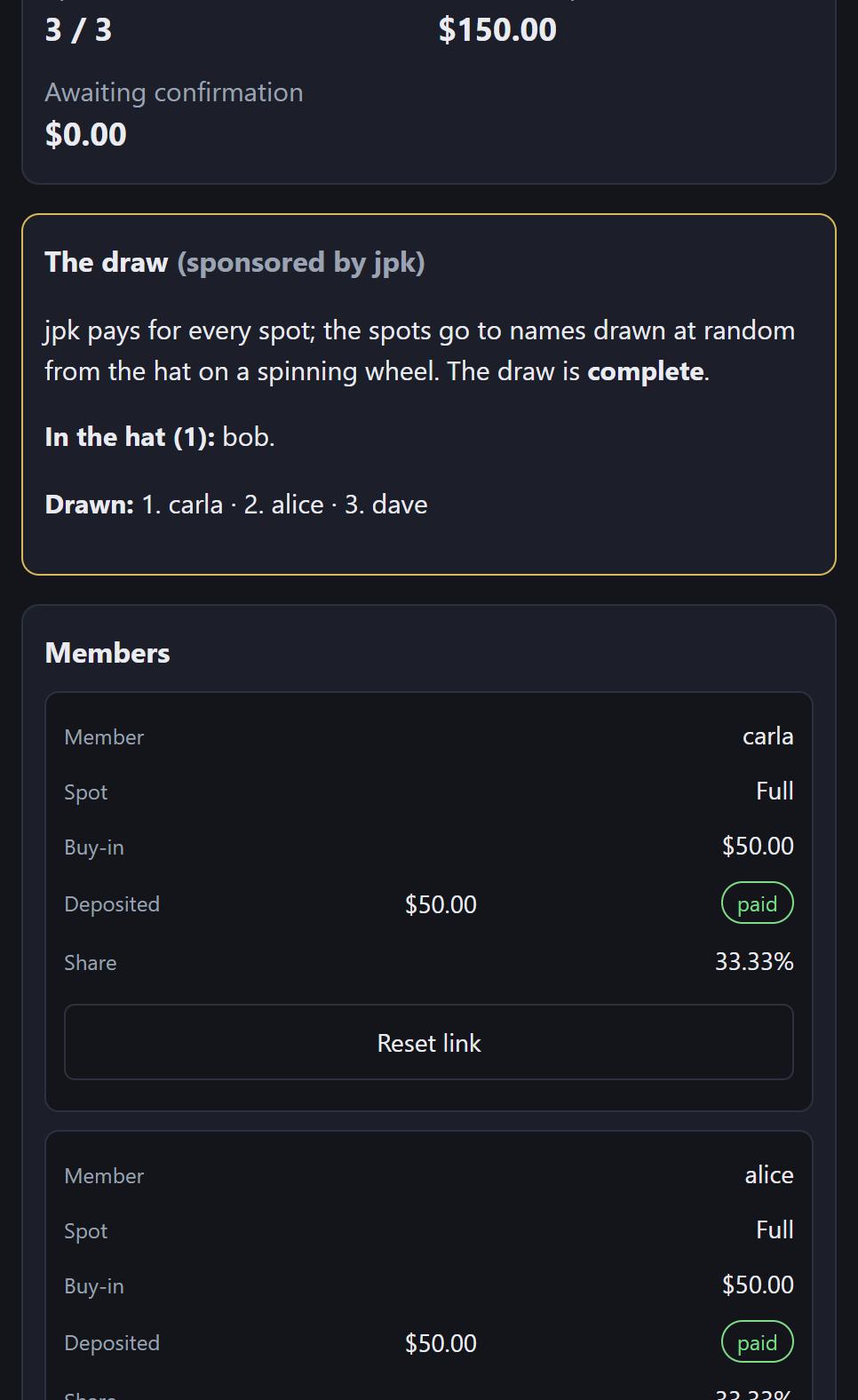
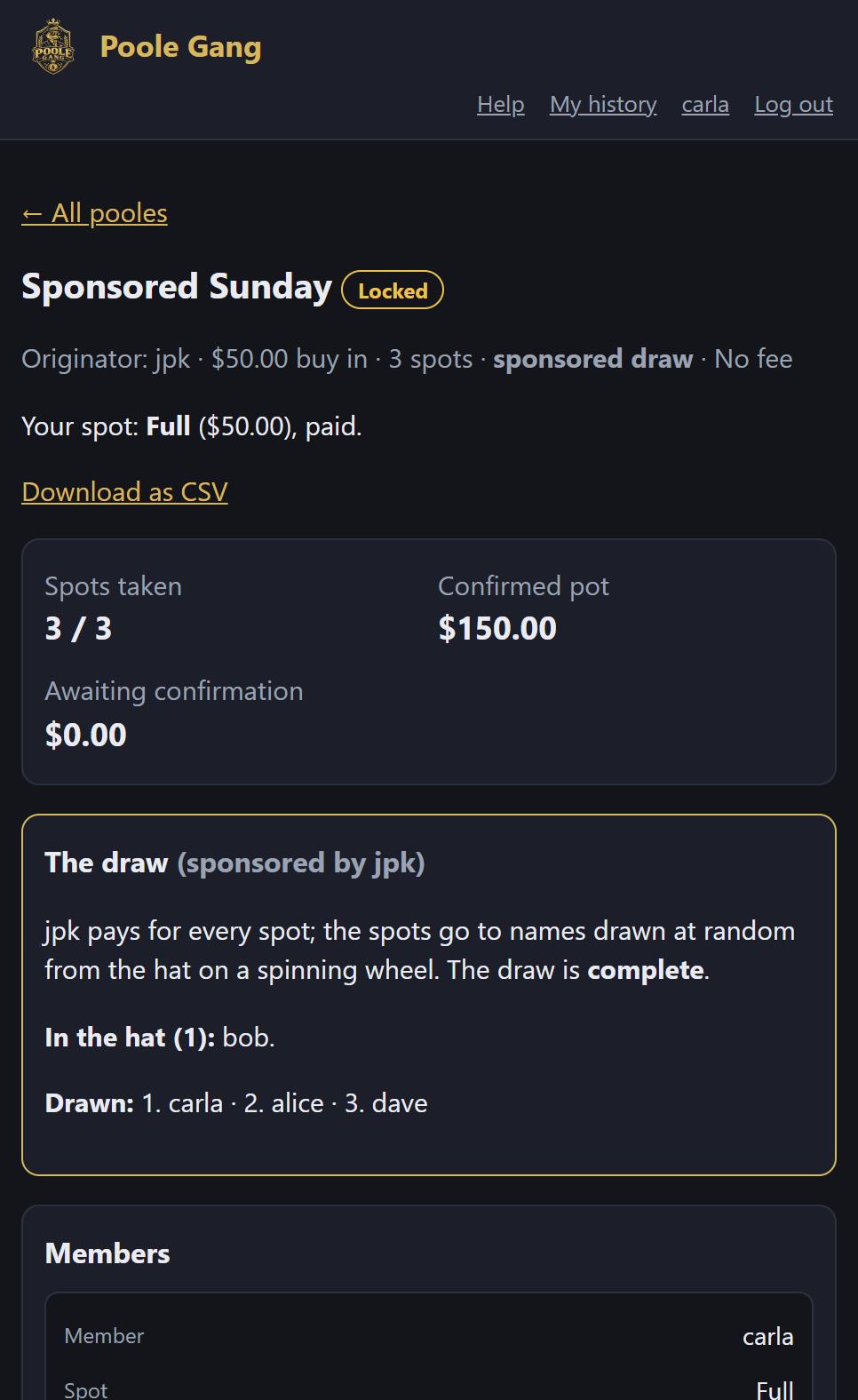
Back on the poole page the draw card reads complete and lists the winners in the order they were drawn. Each winner has a full spot with your buy-in recorded as a deposit paid by you, so the poole has locked itself. From here it runs like any other: play it, enter the result, and the winnings are split by share.
Step 10: what the winners and the others see
Winners get an email and the poole appears on their dashboard. Their poole page shows Your spot: Full, paid, with no payment to make.
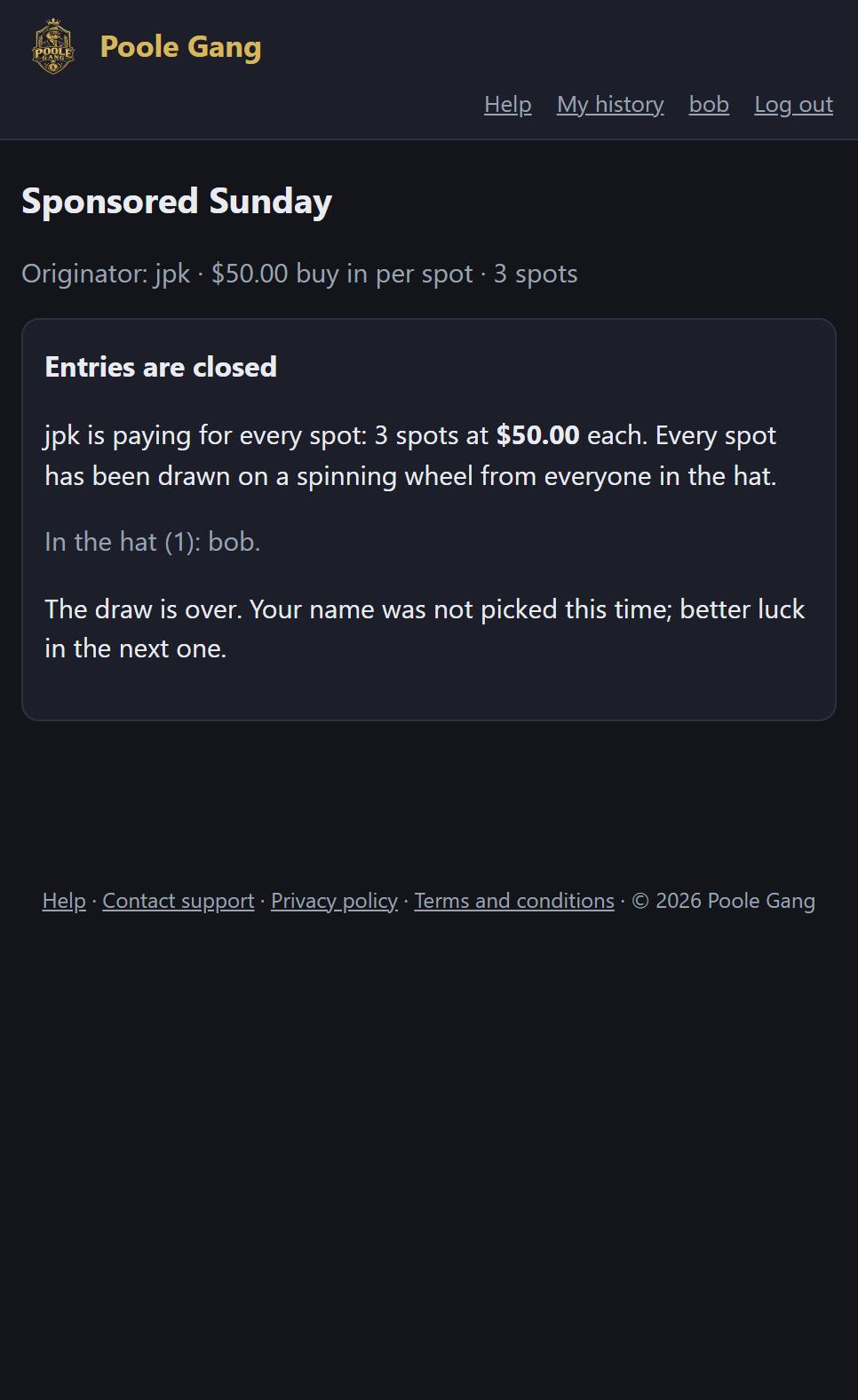
Anyone whose name was not drawn sees it on the entry page, and the poole does not appear on their dashboard.
Sponsoring a Table Takeover
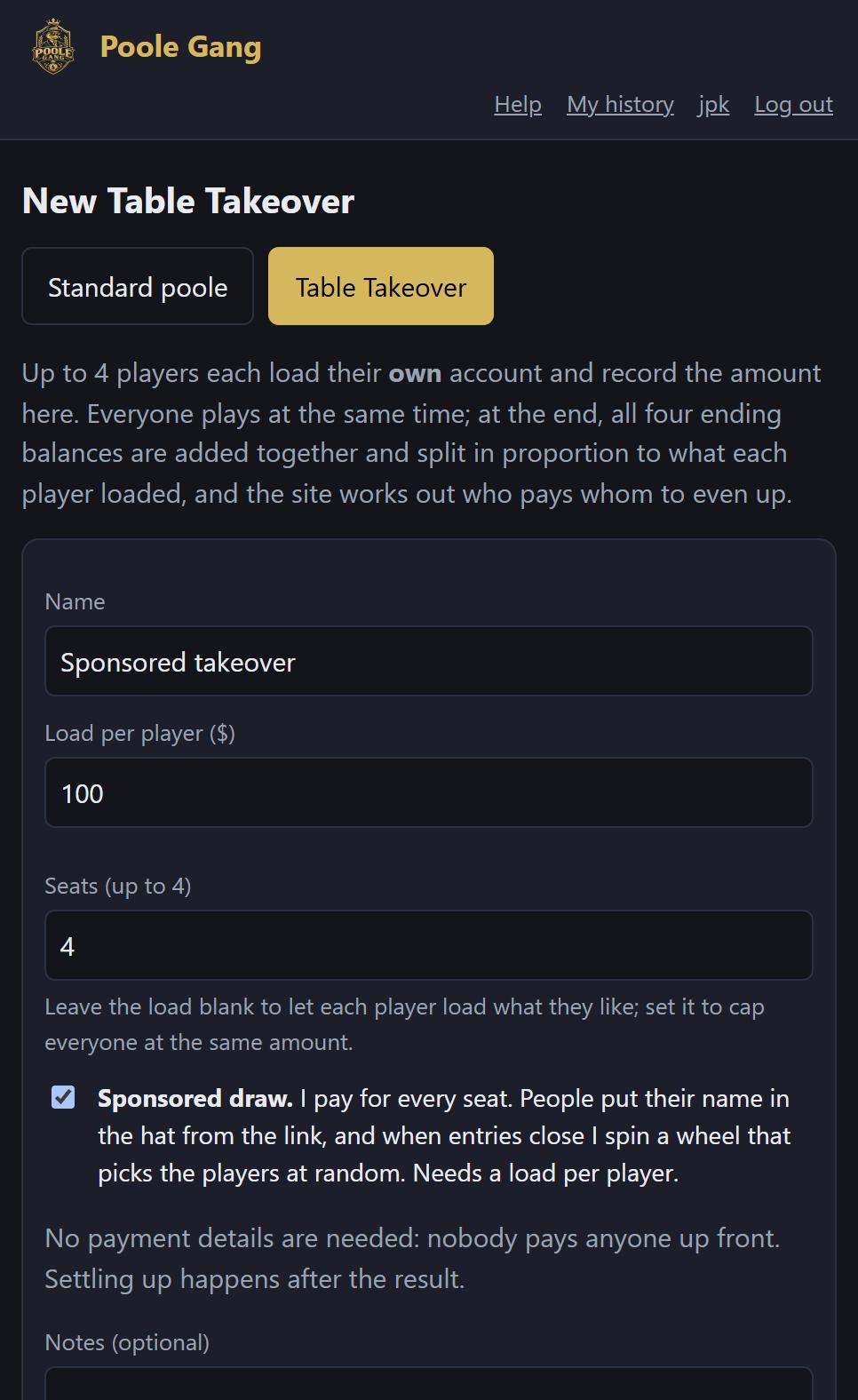
It works the same way for a Table Takeover: tick Sponsored draw on the New Table Takeover form. Because you are paying for every seat, a load per player is required; that amount is recorded as each winner's load. Load the winners' accounts with it, play the table, and enter the ending balances as usual; the settle-up list then evens everyone up by load.
Good to know
- The sponsor can also take a spot themselves: use Add member with your own name before or after the draw. Spots added by hand are paid for by you too.
- Re-open entries lets latecomers into the hat at any time while the poole is open; winners already drawn keep their spots. Close entries again before spinning.
- Need an extra spot after the draw? Re-open the poole, raise the number of spots in the settings, and the draw card offers Spin the wheel again for the new spots, drawing from whoever is still in the hat.
- Cancelling a sponsored poole refunds nothing, because nobody sent any money.
- Duplicating a sponsored poole keeps it sponsored, with an empty hat and a fresh link.
- For how a normal poole runs after the draw, see the full tutorial; for takeovers, the Table Takeover walkthrough.