 Poole Gang
Got a poole link but no account? Start here
Someone has sent you a link to join their poole. This takes you from that link to a spot in the poole in about two minutes. In the example, carla is joining jpk's Sunday Poole.
What you need
- The join link from your group chat. It looks like
poolegang.com/join/...and only works while the poole is open and has spots left. - An email address you can read.
- You do not need an invite code. The link is your invitation.
Step 1: tap the link
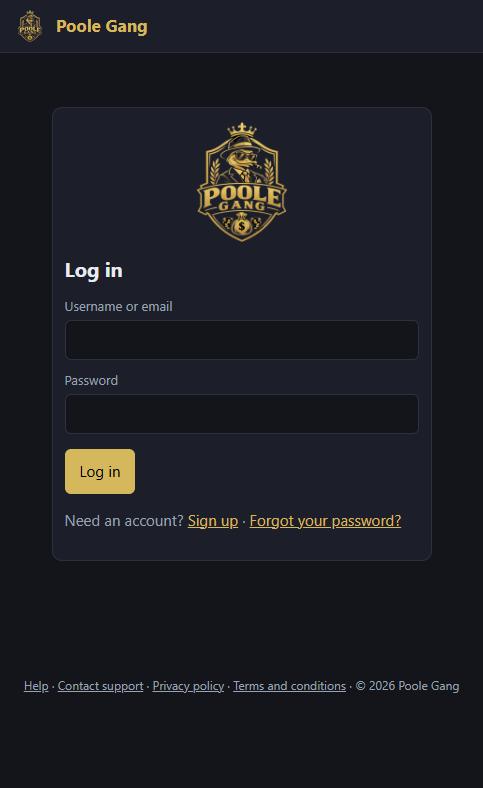
Because you are not signed in yet, the link takes you to the log-in page. Do not try to log in: you have no account yet. Tap Sign up under the Log in button.
Step 2: the sign-up form
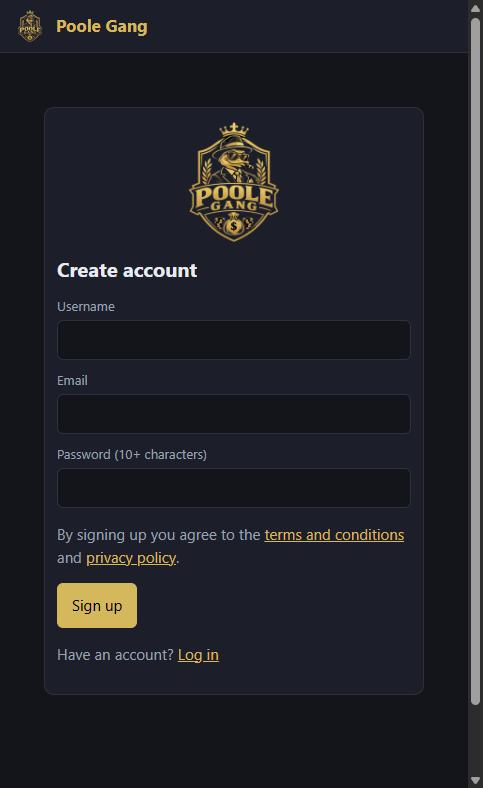
There are only three boxes: a username, your email, and a password of at least 10 characters. There is no invite-code box, because you came in through a poole link.
Step 3: fill it in
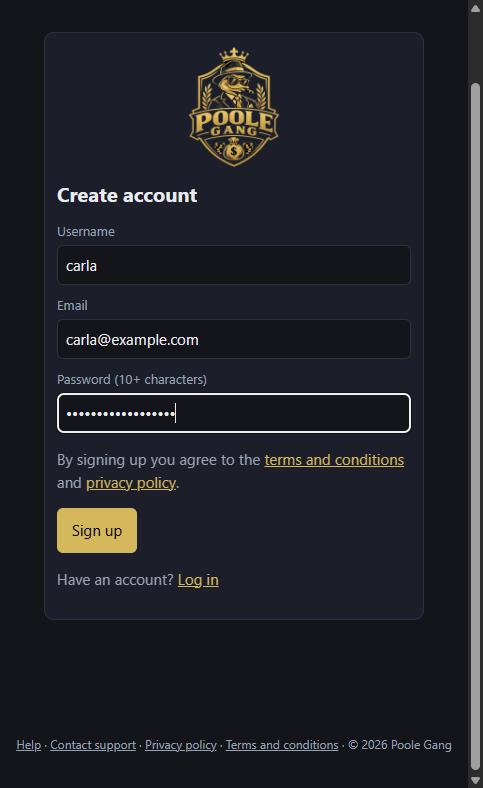
Pick a username your group will recognise (letters, numbers, dots, dashes and underscores; 3 to 32 characters). Use an email you check, since password resets and poole notices go there. Then tap Sign up.
Step 4: take a spot
You are signed in and straight back on the poole. It shows the buy-in, how many spots are left, and who is already in. Tap Full spot to take a whole share, or Half spot to take half for half the money (half spots earn half the winnings).

Step 5: you are in
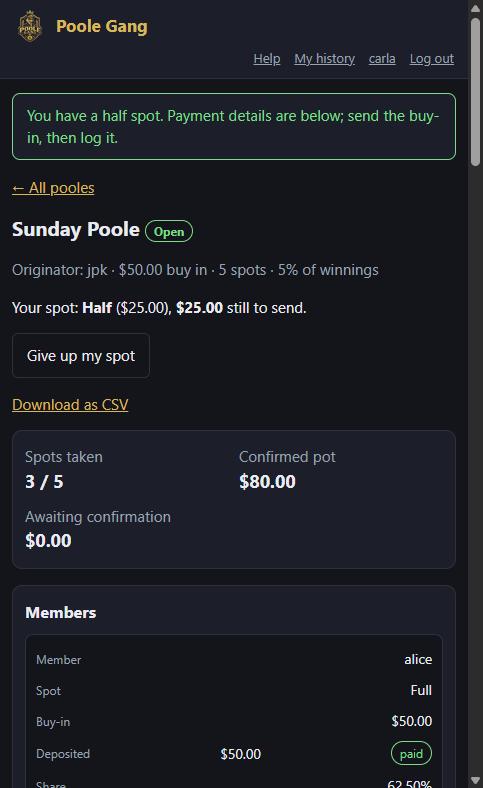
The poole page opens with a green message and a line that says exactly what you owe: here Your spot: Half ($25.00), $25.00 still to send. If you tapped the wrong button, Give up my spot lets you go back and choose again, as long as you have not paid.
Step 6: pay, then log it
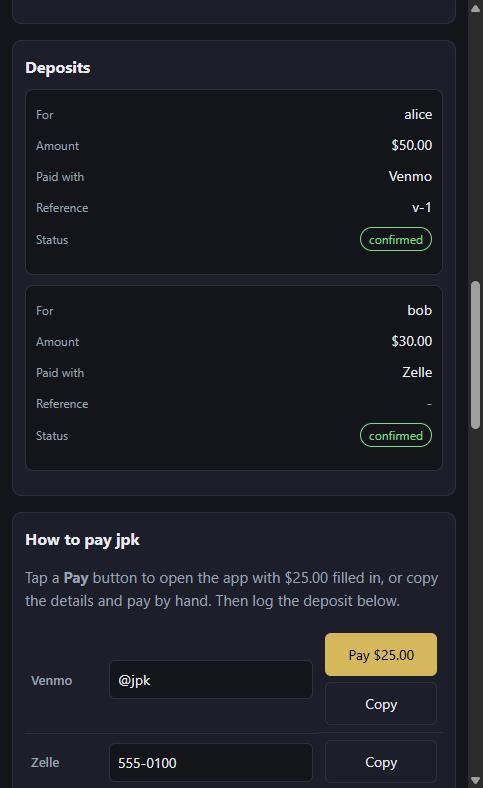
Scroll down to How to pay. For Venmo, Cash App and PayPal there is a Pay button that opens the app with your amount filled in; for Zelle or Tierlock, copy the details into that app. Send the money, then fill in Log a deposit just below with the amount and the app you used. The originator confirms it when they see the money, and your spot shows paid.
Afterwards
- Keep the poole page open and it updates by itself as others join and pay. Your dashboard lists every poole you are in.
- Next time, just log in with your username or email; the link will take you straight to the poole.
- Your username in the header opens your account page, where you can change your email or password and save your own payment methods.
- Forgot your password? Use Forgot your password? on the log-in page.
- For everything else, see the full tutorial or the help page.