 Poole Gang
Table Takeover: step by step
A Table Takeover is a poole where up to four people play at the same time, each on their own account, and share the combined result in proportion to what each one loaded. Nobody sends money up front; the site works out who evens up with whom at the end. In the example, jpk runs a Friday table with bob, alice and dave.
How it differs from a standard poole
- Everyone loads their own account. There is no pot and no payment methods to fill in; each player records what they loaded.
- Up to four seats, full seats only. No half seats, tips or app fees.
- The result is each player's ending balance, not one winning amount. The balances are added together, any originator fee comes off, and the total is split by load.
- Settling up is a short list of player-to-player payments that even everyone up to their fair share. Cancelling simply closes the table: everyone keeps their own money.
Part 1: the originator sets up the table
Step 1: click New Table Takeover
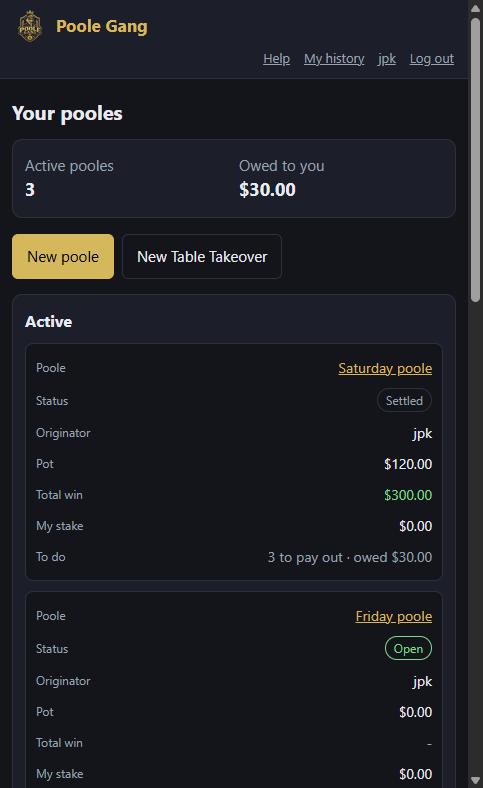
On your dashboard there are two buttons: New poole for a standard poole and New Table Takeover for this kind. Click the second one.
Step 2: fill in the form
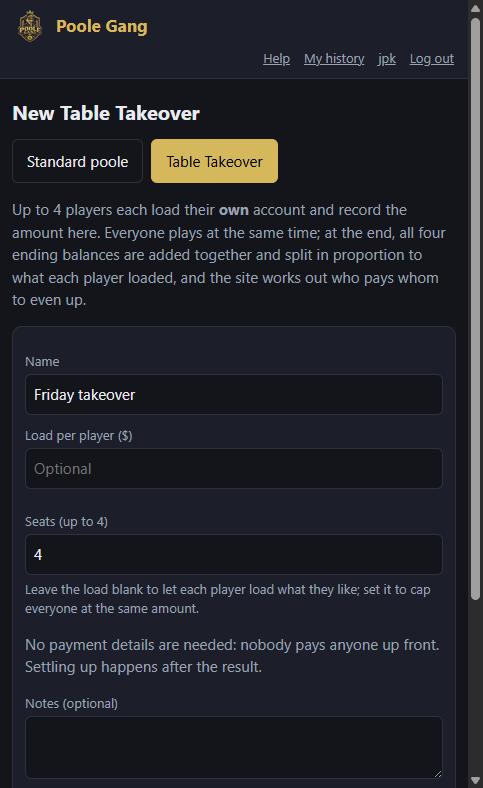
Give the table a name and choose the number of seats, up to 4. Load per player is optional: leave it blank to let each player load whatever they like, or set it to cap everyone at the same amount. Add an originator fee if you take one. No payment details are asked for, because nobody pays anyone before the table is played. Click Create.
Step 3: share the link
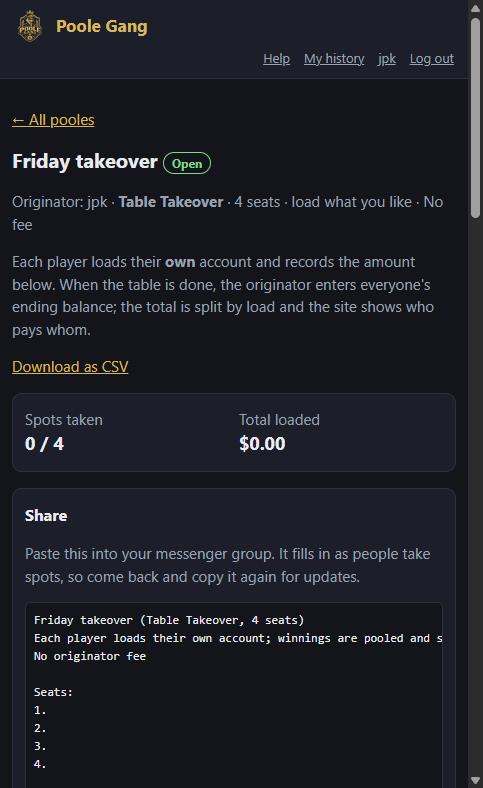
The new table opens with a Share box. Copy the message into your group chat; it contains the join link and a seat list that fills in as people join. You already have the first seat.
Step 4: record your own load
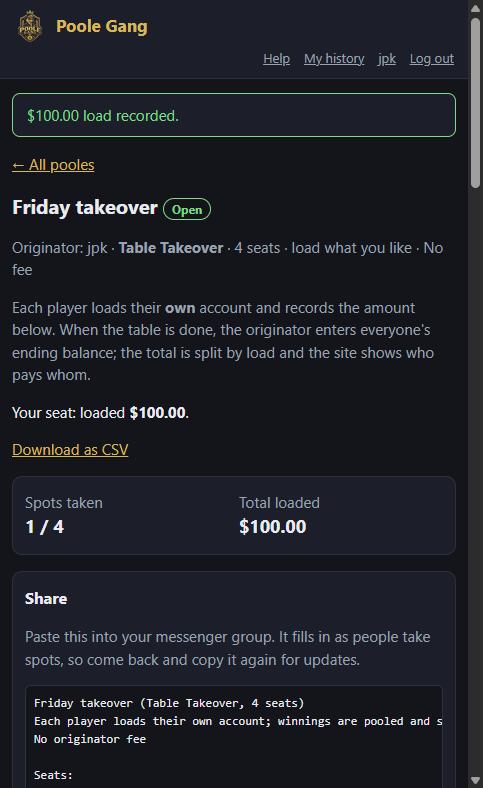
Load your own account, then scroll down to Record a load. As the originator you can record a load for any seated player, so pick yourself, type the amount and an optional note (for example the table and seat number) and click Record load.
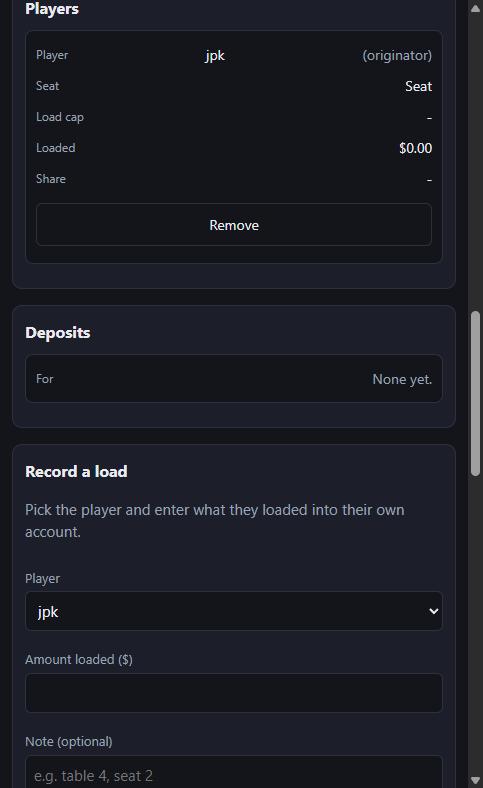
The page confirms it and the totals update: 1 of 4 seats, $100.00 loaded.
Part 2: each player takes a seat and records their load
Step 5: take a seat from the link
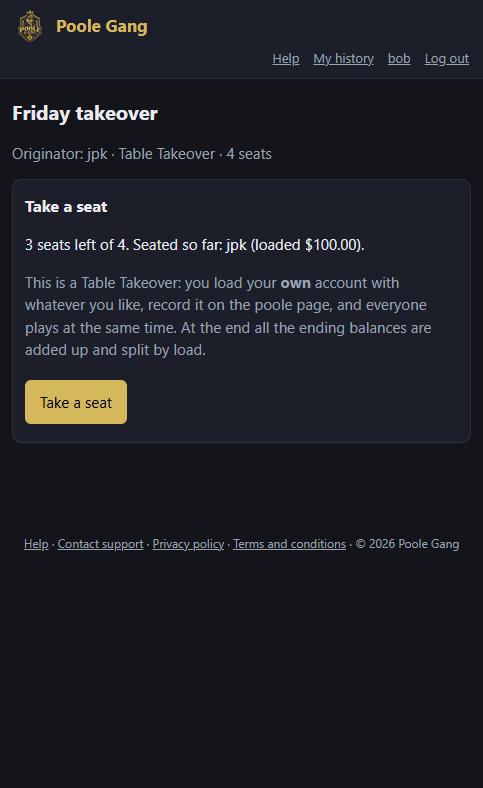
When a player opens the link they see how many seats are left and who is already seated, with a short explanation of how a Table Takeover works. There is a single Take a seat button: no full or half choice and no buy-in. (Players without an account sign up first; see joining from a link.)
Step 6: you have a seat
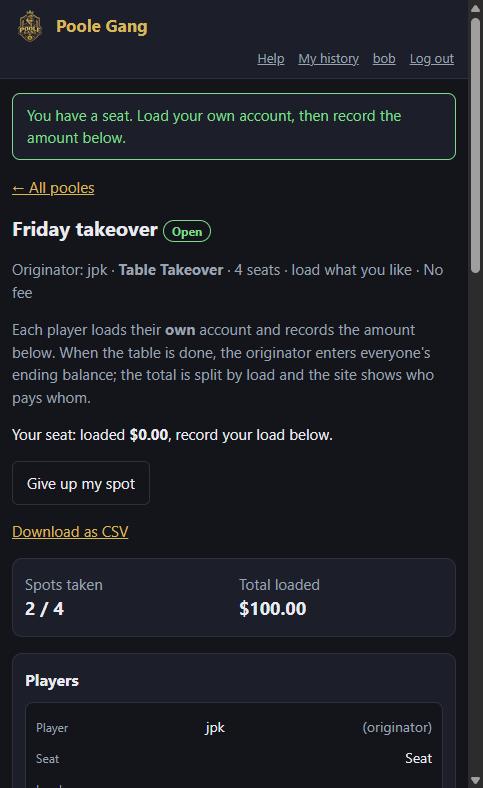
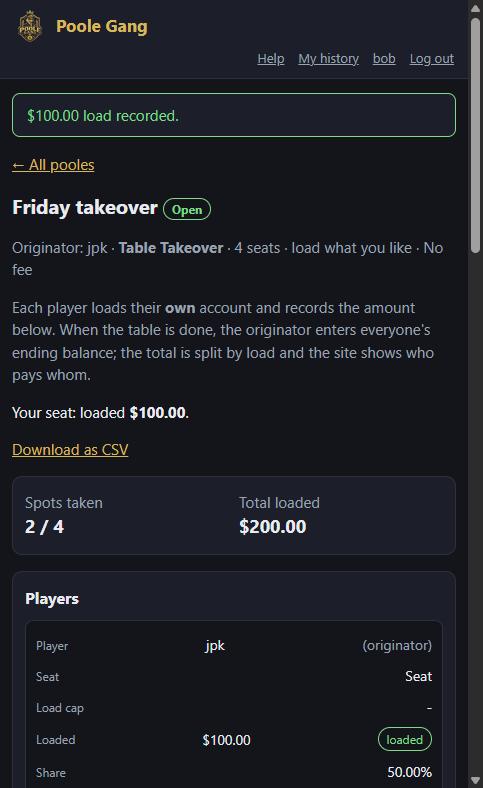
The table page opens with a green message. Until you record a load, your line reads loaded $0.00, record your load below, and Give up my spot lets you leave again.
Step 7: record your load
Load your own account in the app you play on, then scroll to Record your load, type the amount and click Record load. Loads count straight away; there is nothing for the originator to confirm, though they can correct a load if someone mistypes.
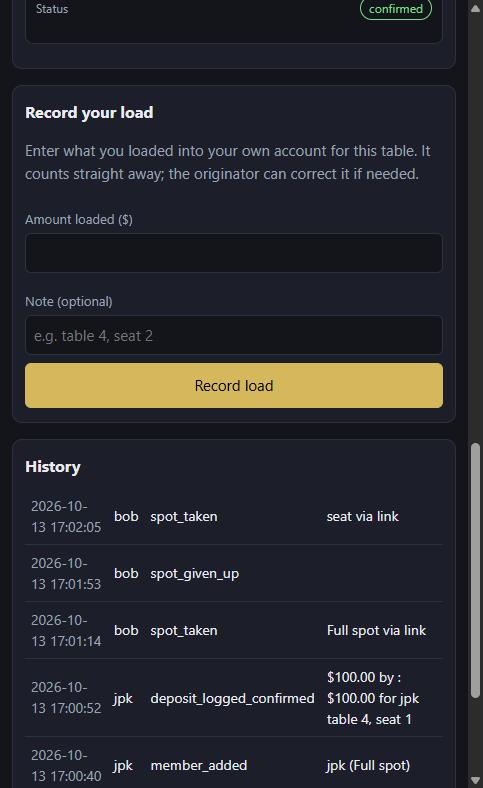
Your line now shows your load, and the totals and the share message update for everyone.
Step 8: the table locks itself
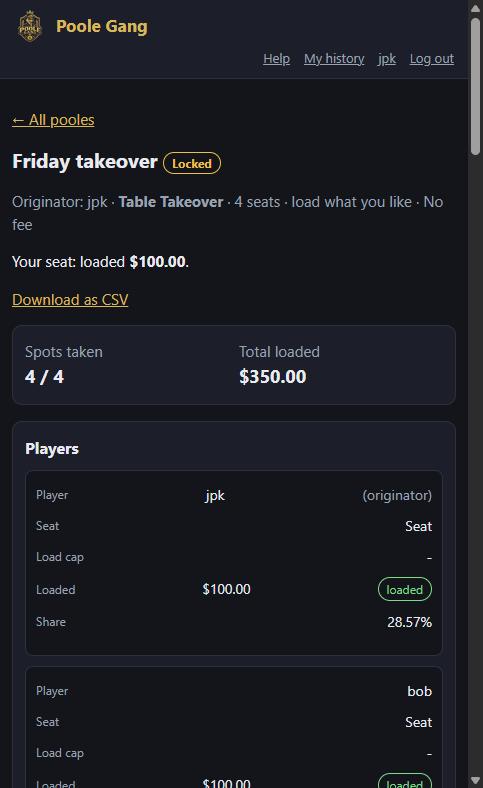
Once every seat is taken and every player has recorded a load, the table locks on its own and the status badge changes to Locked. Everyone plays. If a seat or a load needs changing, the originator can Re-open it.
Part 3: the result and settling up
Step 9: enter everyone's ending balance
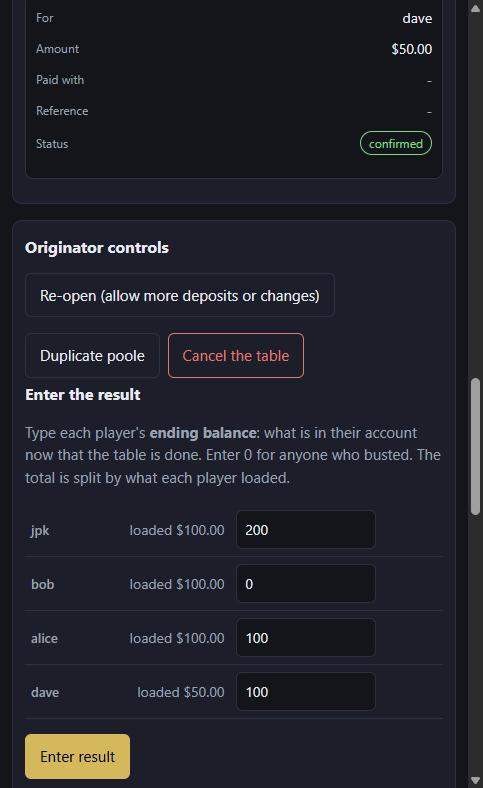
When the table is done, the originator scrolls to Enter the result. Each player has a box: type what is in their account now. Enter 0 for anyone who busted. Here jpk ended with $200, bob with $0, alice with $100 and dave with $100. Click Enter result.
Step 10: read the result
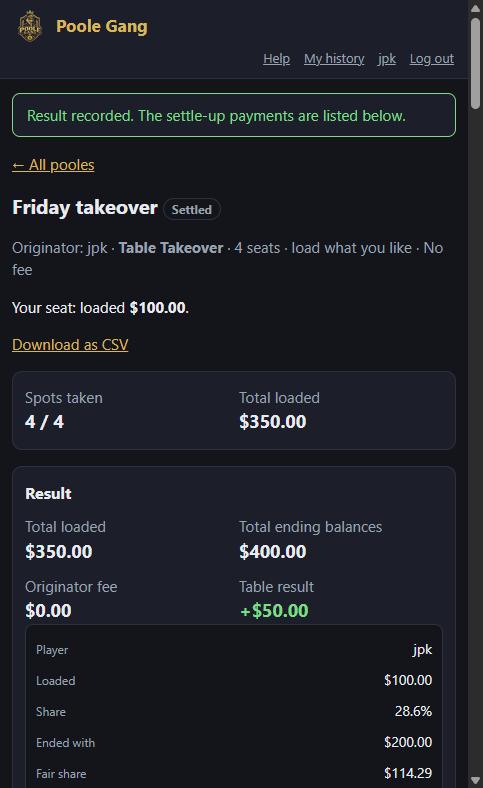
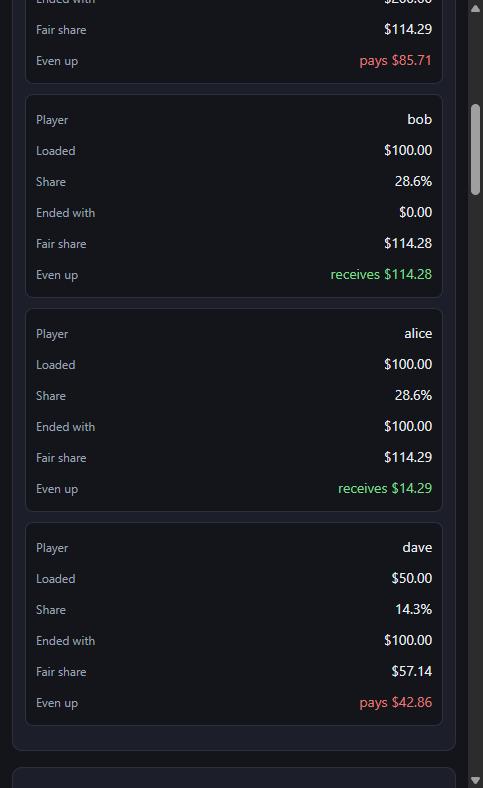
The Result card adds up the ending balances ($400.00), takes off any originator fee, and shows the table result against the $350.00 loaded. Below it, each player's line shows what they loaded, their share, what they ended with, their fair share of the total, and whether they pay or receive the difference.
Step 11: share the result
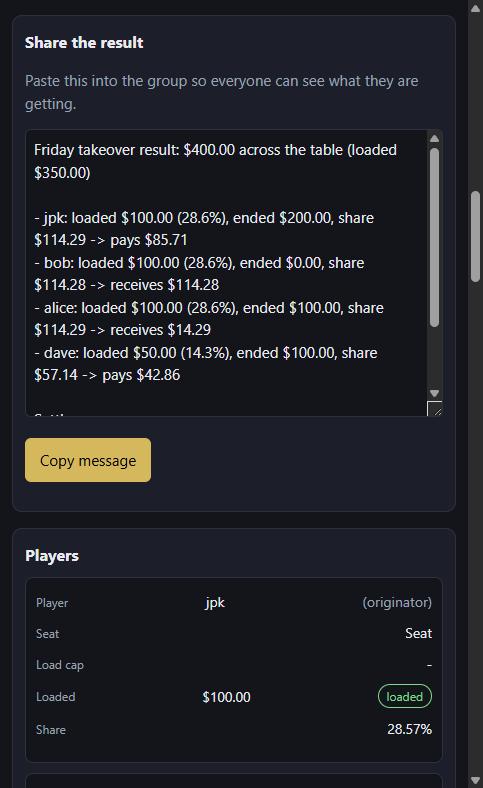
The Share the result box has a ready-made message with every player's line and the settle-up list. Click Copy message and paste it into the group so everyone knows what to send.
Step 12: settle up
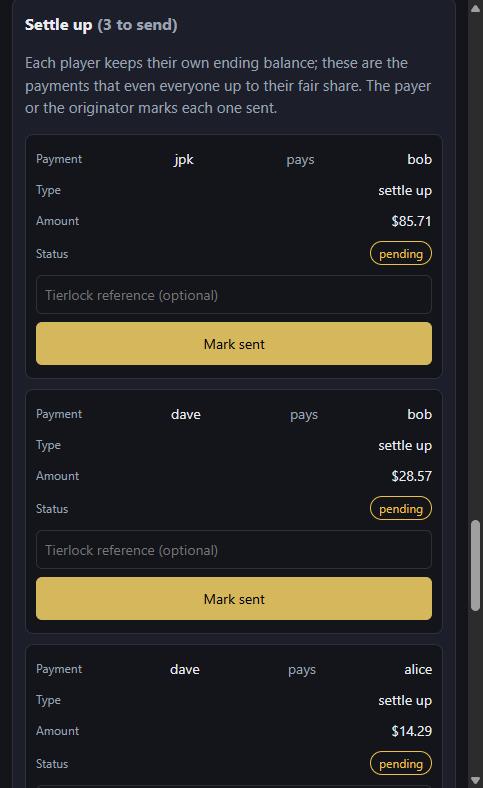
Each player keeps their own ending balance, so the Settle up list shows only the few payments that even everyone up: here jpk pays bob $85.71, dave pays bob $28.57 and dave pays alice $14.29. The payer, or the originator, clicks Mark sent once the money has gone (a Tierlock reference is optional).
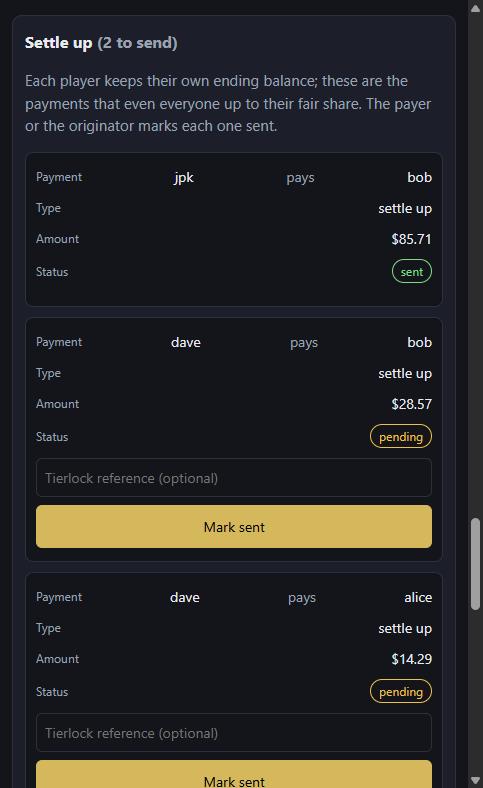
Marked payments turn green and the count drops until the list is empty.
Good to know
- Everyone's page updates by itself as seats fill, loads are recorded and payments are marked sent.
- A load can be edited or deleted by the originator while the table is open, and by an administrator at any time.
- The originator fee, if any, comes out of the combined ending balances before the split, and is listed as its own payment.
- Cancelling a Table Takeover does not create refunds: nobody paid anyone, so everyone simply keeps what is in their own account.
- Takeovers appear on everyone's dashboard and history like any other poole, and can be duplicated for next week.
- For standard pooles see the full tutorial; for everything else, the help page.