 Poole Gang
Setting up a poole that someone else plays
Use this when you organise the poole but a different person collects the buy-ins and places it. In the example below, jpk is the originator and alice is the player.
Before you start
- The player needs a Poole Gang account.
- The player should have their payment methods saved on their account page (click your username in the header). Those are what members will see once the player agrees.
- Nothing about the player is shown to anyone until they say yes.
Part 1: the originator sets up the poole
Step 1: start a new poole
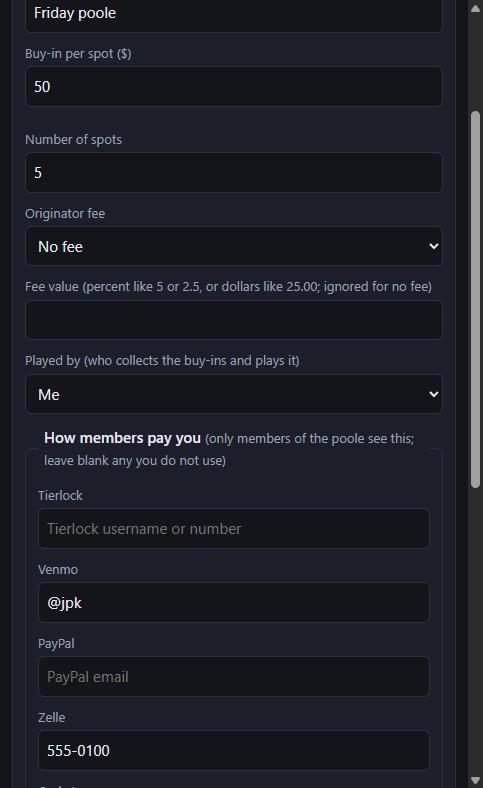
From your dashboard click New poole. Fill in the name, buy-in and number of spots as usual. Played by starts on "Me".
Step 2: pick the player
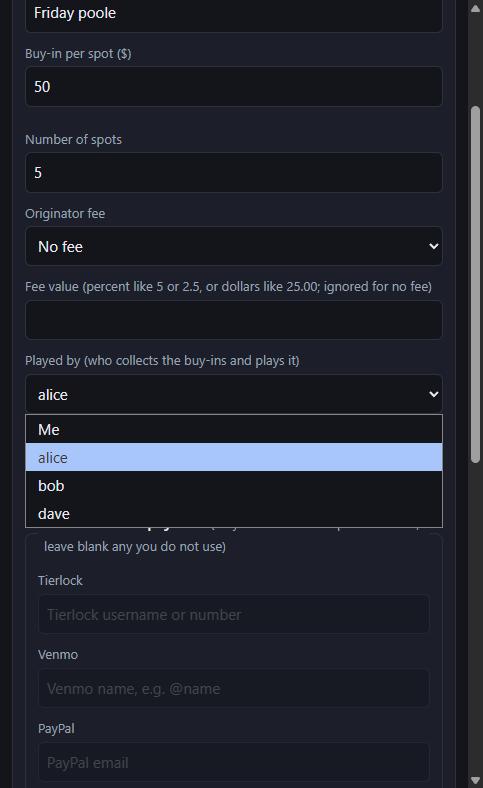
Open the Played by dropdown. It lists every active account except you. Choose the person who will play.
Step 3: the payment fields grey out
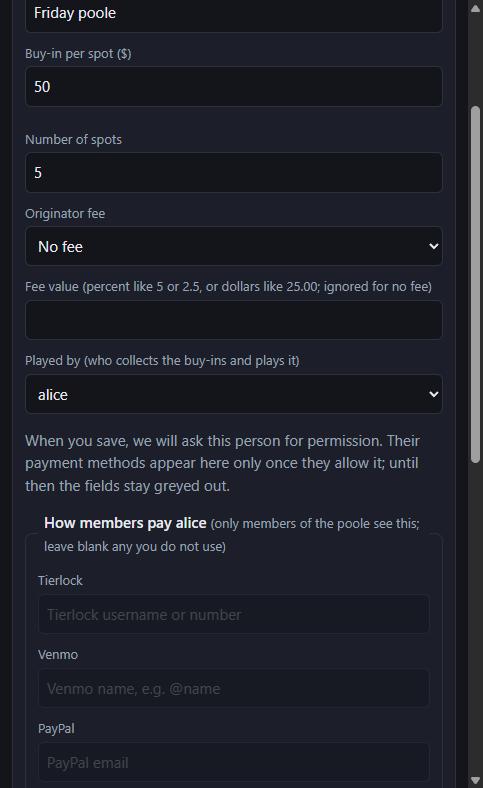
As soon as you pick someone, the payment fields empty and grey out, and the heading changes to "How members pay alice". You cannot type in them: those details belong to the player and will only appear once they allow it.
Step 4: create the poole
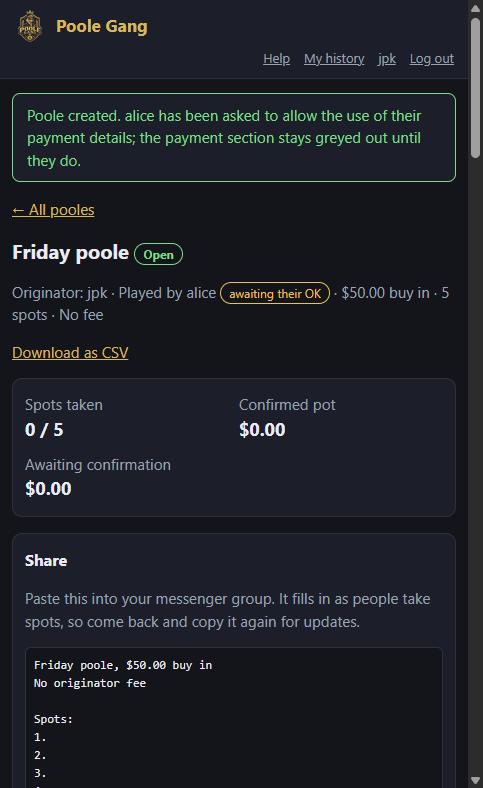
Click Create poole. The message at the top confirms the player has been asked. The header shows Played by alice with an awaiting their OK badge.
Further down, the How to pay card says it is waiting for the player. Members who open the poole see the same thing, so nobody is left guessing where to send money.
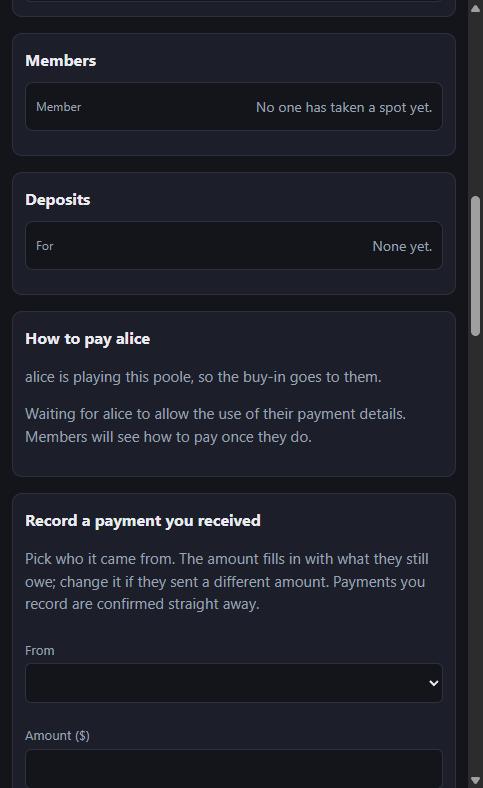
You can carry on as normal in the meantime: share the join link, add members, and so on.
Part 2: what the player sees
Step 5: the player gets an email and a prompt
The player receives an email titled "jpk wants you to play 'Friday poole' on Poole Gang" with a link to the poole. The next time they are on the site, a prompt also pops up wherever they are, with three choices: Allow, Decline, or Decide later (which asks again in half an hour).
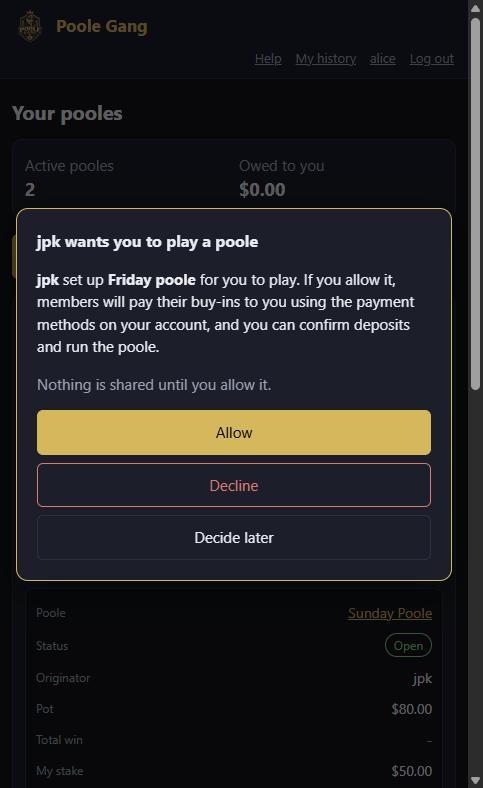
Step 6: the same question on the poole page
If the player opens the poole from the email instead, the question is right there in a highlighted card. Until they answer, they can see the poole but cannot run it.
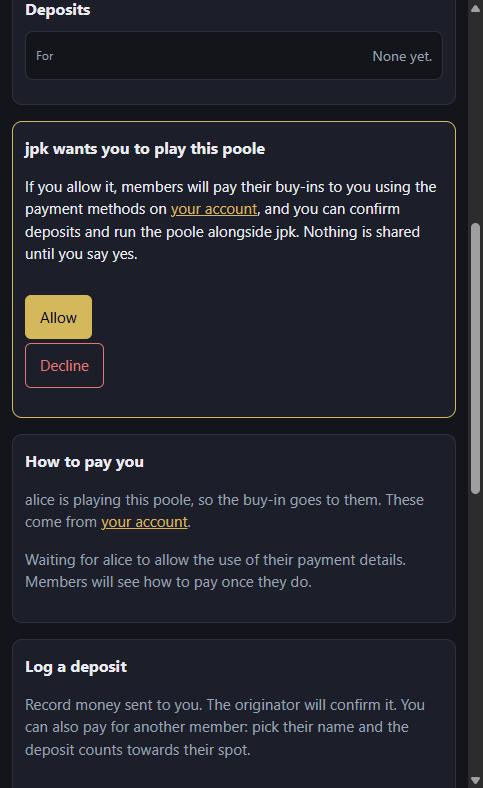
Step 7: the player clicks Allow
The player sees "You are now playing Friday poole. Members will pay you using the payment methods on your account." The badge disappears from the header.
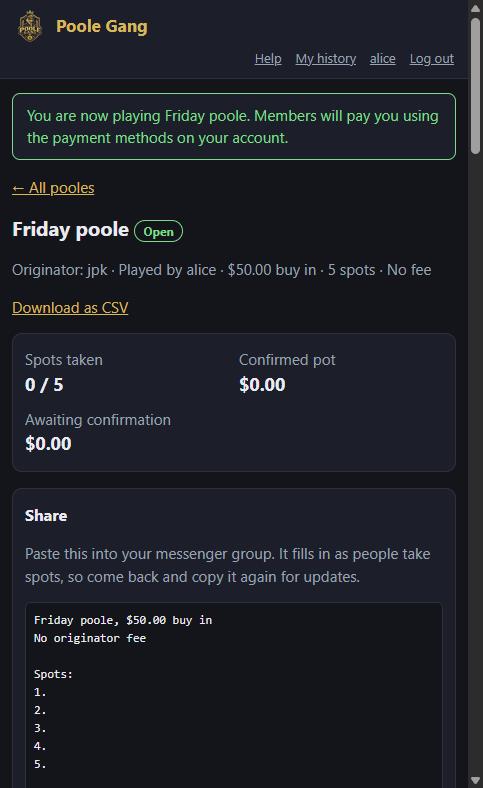
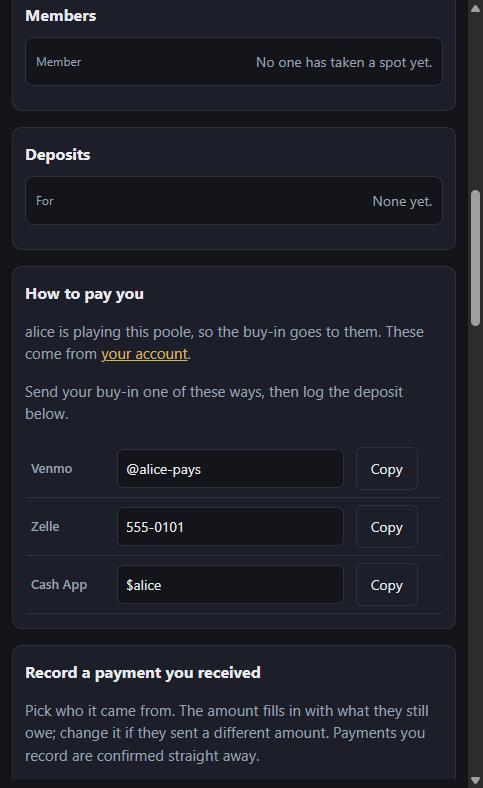
Their How to pay card now shows their own payment methods, taken from their account. From here on the player can confirm deposits, record payments, lock the poole, enter the result and pay out, alongside the originator. They also get the deposit pop-ups.
Part 3: back with the originator
Step 8: the originator is told, and the details appear
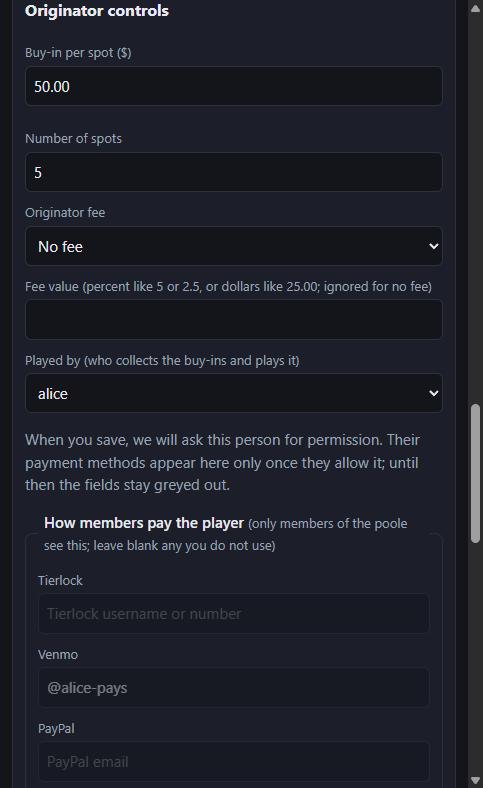
The originator gets an email, "alice will play 'Friday poole'", and the poole now shows the player's payment methods to every member. In the originator's settings the fields are filled in but locked: only the player can change them, from their own account.
If the player declines
The poole goes straight back to being played by the originator, with the originator's own payment methods, and the originator gets an email saying so. Nothing else about the poole changes.
Good to know
- The fee still goes to the originator. Being the player does not change who gets the originator fee.
- Changing the player in the settings asks the new person for permission in the same way. Setting it back to "Me" restores your own payment methods immediately.
- Duplicating a poole keeps the player but asks them again.
- If the player updates their payment methods on their account later, every poole they play shows the new ones at once.
- Members get Pay buttons for the player's Venmo, Cash App or PayPal, the same as on any other poole, opening the app with the amount owed filled in.
- Everything is logged in the poole's history: who was asked, who allowed or declined, and when.